03 Introduction to SQL
Overview#
The SQL has several parts:
- DDL
- DML
- integrity
- view definition
- transaction control
- embedded SQL and dynamic SQL
- authorization
SQL Data Definition#
可定义项#
- 每个 relation 的 schema
- 变量类型
- integrity 约束
- the set of indices to be maintained for each relation
- 每个 relation 的安全和权限管理
- 每个 relation 存储在磁盘上的方式
Basic Types#
CHAR, VARCHAR, INT, SMALLINT, NUMERIC(p, d), REAL, DOUBLE PRECISION, FLOAT(n)
numeric(p, d)p 位十进制实数,d 是小数位的数量- e.g.
numeric(3, 1)允许 44.5 不允许 4.45 和 0.32
- e.g.
float(n)表示一个浮点数,精度至少有 n 位数
Create Table#
- A 是 attr name,D 是 data type
Integrity Constraints#
| example | |
|---|---|
ON DELETE CASCADE在 ref 被删除时进行的操作
Update Tables#
INSERT INTO instructor VALUES ('10211', 'Smith', 'Biology', 6000);DELETE FROM student WHERE name = 'Tom';DROP TABLE rALTER TABLE r ADD A DALTER TABLE r DROP A
Basic Query Structure#
- 查询结果是一个 relation
Select Clause#
-
names are case insensitive
-
SQL 允许 relation 中的 duplicate,结果中也都会显示
- 除非使用
SELECT DISTINCT dept_name - 而使用
SELECT ALL dept_name表示 dup 都会保留
- 除非使用
SELECT * FROM instructor选择所有的列SELECT '437没有FROM,会得到一行一列的有 437 的表格SELECT '437' AS FOO给列重命名
SELECT 'A' FROM instructor会得到一列 N 行,每一行都是ASELECT中可以使用数学表达式,前提是 data type 支持SELECT ID, name, salary/12SELECT ID, name, salary/12 AS monthly_salary
Where Clause#
- 表示 conditions
- 可以使用算术表达式和逻辑表达式
SELECT name FROM instructor WHERE dept_name = 'Comp. Sci. AND salary > 70000
From Clause#
SELECT * FROM instructor, teaches进行笛卡尔积
Additional Basic Operations#
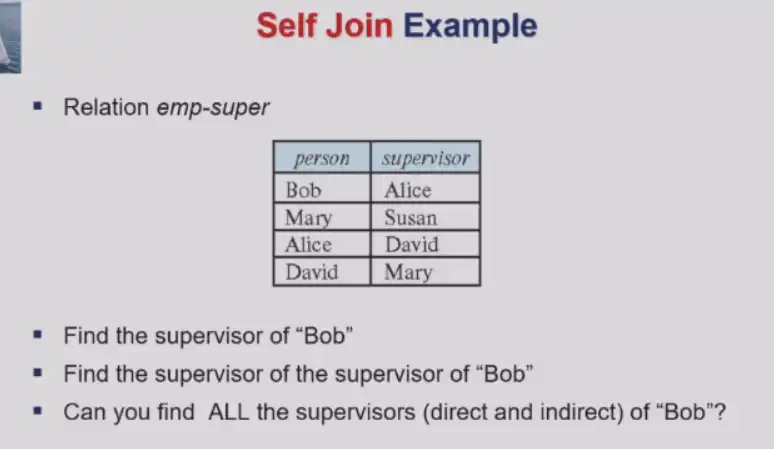
Rename Operation#
old-name AS new-name
Question
- 如果使用
DISTINCT,可能有重名的无法都显示 - 如果不适用
DISTINCT,工资高的会出现很多次
String Operations#
%匹配所有 substring_匹配所有 char
Order by#
Set Op#
Note
集合默认不重复,除非使用 {sql}UNION/INTERSECT/EXCEPT ALL
Null#
- null signifies
- unknown
- not exist
- 任何表达式含有 null,则结果是 null
- e.g.
{sql}5 + null = null
- e.g.
- predicate:
{sql}IS NULL / IS NOT NULL - 任何比较含有 null,则结果是 unknown
- e.g.
{sql}5 < NULL / NULL <> NULL / NULL = NULL
- e.g.
- 布尔运算定义扩展,返回肯定对的结果
- and:
{sql}(true and unknown) = unknown, (false and unknown) = false, (unknown and unknown) = unknown - or:
{sql}(unknown or true) = true, (unknown or false) = unknown, (unknown or unknown) = unknown -
如果结果是 unknown,predicate 在
{sql}WHERE语句中被当成 false
- and:
Aggregate Functions#
- 这些函数在 multiset 多重集上计算,允许重复元素
- avg, min, max, sum, count
GROUP BY#
| find the avg salary of instructors in each dept | |
|---|---|
HAVING#
Nested Subqueries#
Set Membership#
Set Comparison#
SOME#
| Find names of instructors with salary greater than that of some (at least one) instructor in the Biology department. | |
|---|---|
{sql}= SOME(...)相当于IN,但是{sql}!= SOME(...)不等于NOT IN
ALL#
{sql}!= ALL(...)相当于NOT IN,但是{sql}= ALL(...)不等于IN
EXISTS#
| Find all courses taught in both the Fall 2017 semester and in the Spring 2018 semester | |
|---|---|
| Find all students who have taken all courses offered in the Biology department. | |
|---|---|
- \(X-Y=\emptyset\Leftrightarrow X\subseteq Y\)
UNIQUE#
- 检查子查询中是否有重复的 tuple
| find all courses that were offered at most once in 2017 | |
|---|---|
With Clause#
将子查询重命名
Scalar Subquery#
| list all departments along with the number of instructors | |
|---|---|
Note
和 GROUP BY 不同,如果有没有 instructor 的 dept,也会显示出来
Modification#
Deletion#
Insertion#
| Music dept 的所有学分大于 144 的学生都成为 instructor 且薪资 18000 | |
|---|---|
Update#
对表中满足一些条件的 tuple 的值进行更新
| 薪水小于 70000 的涨 5% | |
|---|---|
| 用 case 语句解决条件更新顺序问题 | |
|---|---|